Connections
The tool connected to your document management, practice system, and Microsoft 365, with access that follows each matter’s permissions.
 Discuss your project
Hallucination-free AI for research and drafting, a proper rollout of the AI tools you already pay for, a website we build or take over and then care for, and a way to answer every new client. Tailored to your firm, or built on the tools you use today.
Hallucination-free AI
Research memos, first drafts, and document summaries grounded in your firm’s own files and the legal sources you trust. We tailor it to your documents and practice system, and it works in Word and Outlook. It is hallucination-free because nothing reaches an attorney unchecked: every citation is verified against its source, and anything that cannot be verified is flagged instead of drafted.
AI rollout
Many firms license an AI tool and see little use, because it was never connected to their documents, shaped to their matters, or backed by a policy lawyers trust. We set up the tools you have, or help you choose one first.
The tool connected to your document management, practice system, and Microsoft 365, with access that follows each matter’s permissions.
Prompts, templates, and workflows for the matters your firm actually handles, so lawyers start from something useful.
A written policy for your firm to review and adopt, drawing on ABA Formal Opinion 512: what may be used, how output is verified, and how client confidences are protected.
Sessions for lawyers and staff on your tools and your policy, using examples from your own practice.
Baybloom is independent of these vendors. We help firms set up and connect the tools they choose.
Websites
Start from one of three sample designs, each a working site you can click through, or ask for a design of your own.
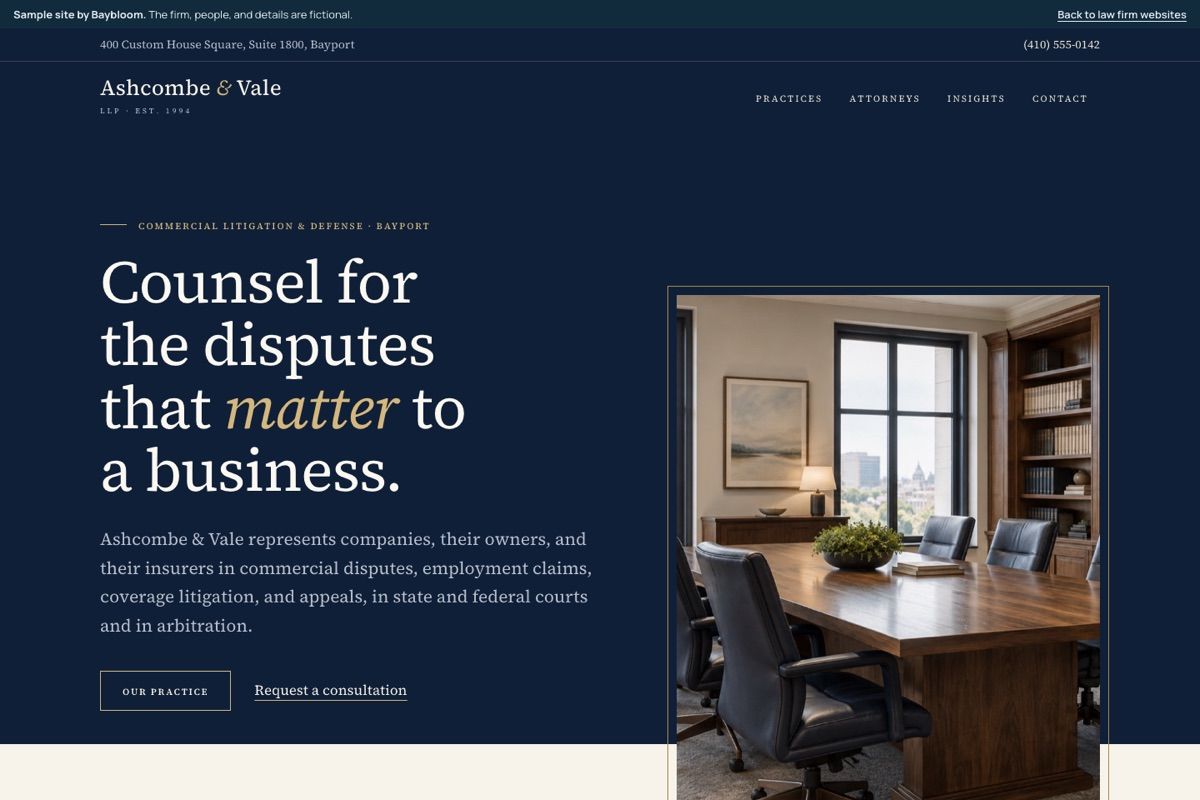
Established litigation firm
Ashcombe & ValeNavy and ivory, classic serif type, and formal office photography, with attorney biographies and publications up front.Open the sample site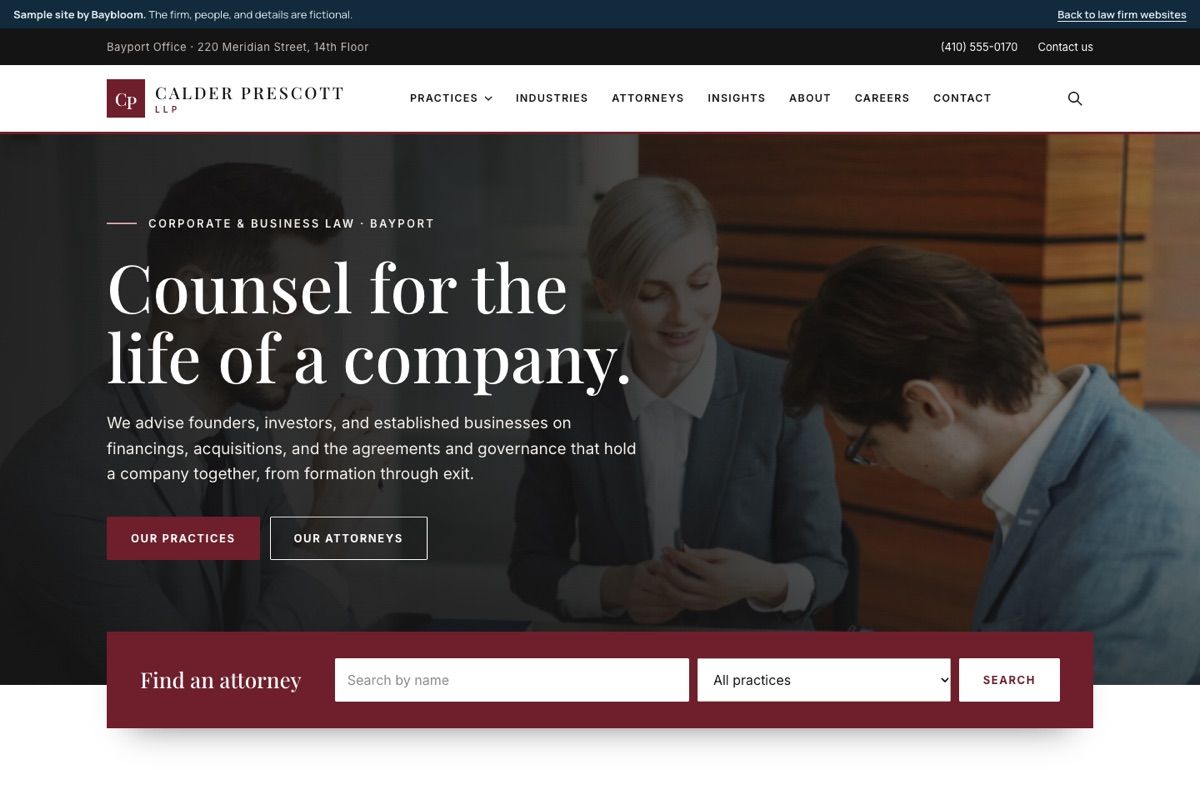
Corporate and business law firm
Calder PrescottBurgundy and serif, with a photographic hero, attorney search up front, practice tiles, and full attorney biographies.Open the sample site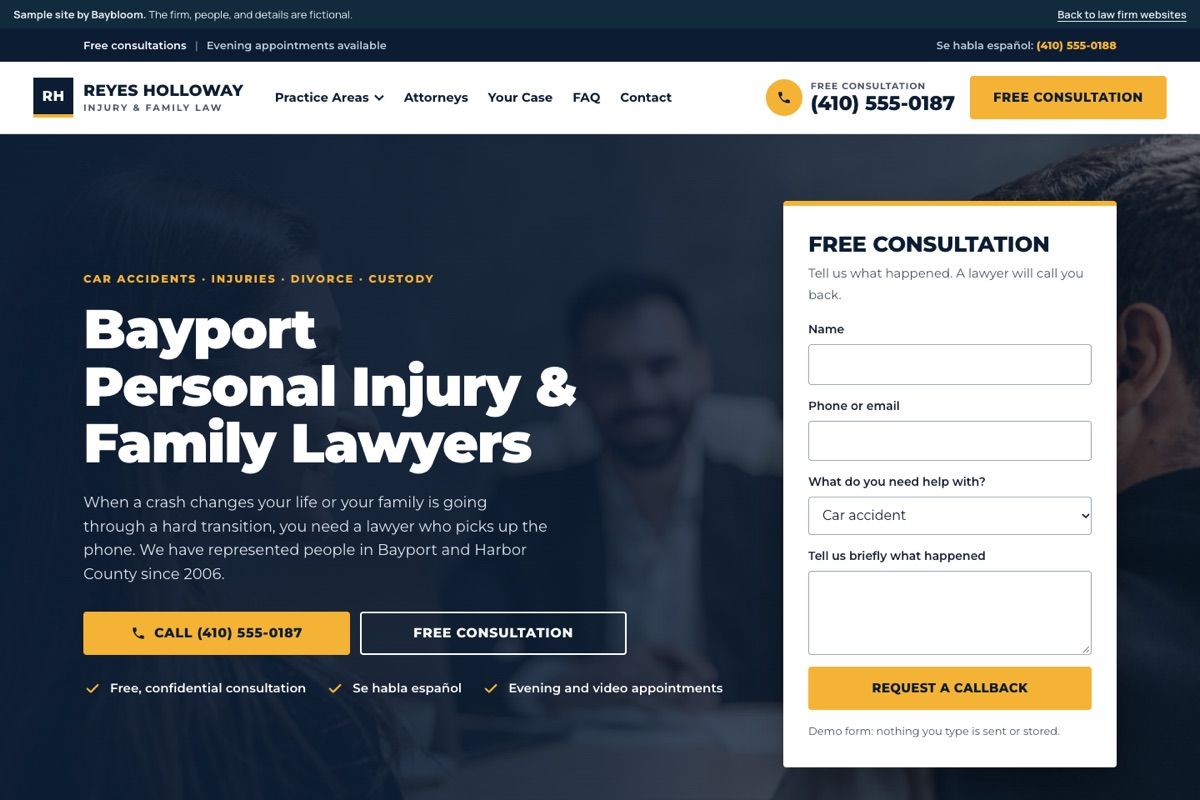
Personal injury and family law firm
Reyes Holloway LawThe phone number and a free consultation always in reach, a practice page built for local search, and a form that feeds intake.Open the sample siteOr a custom design. Your brand, your structure, built to the same standard.
We move your pages, attorney biographies, and articles, and redirect every old address so search visibility carries over. The site is built on standard, widely supported tools rather than a closed platform.
We host the site, keep it updated, secure, monitored, and backed up, and make changes when you ask, from a new attorney biography to a new practice area page.
New clients
Prospective clients rarely wait. We connect your phone, website, and chat so every inquiry is captured, answered, checked for conflicts, and booked, using the intake tool you already have or one built for your firm.
Illustration of a matter intake board built by Baybloom for a law firm: new inquiries, conflict checks across connected systems, and matters opened once and synced to document management and billing.
Systems we connect
Matters, documents, time, and trust funds stay where they live today. We connect to them through their integrations and build the work in between.
Questions
What partners and firm administrators ask us first.
The system only drafts from your firm’s documents and the research sources you license, and it ties each statement to the passage it came from. Before an attorney sees a draft, every citation is checked against its source: the authority exists, the quotation matches, and the passage supports the point. Anything that cannot be verified is flagged and left out, and an attorney reviews everything before it is used.
Where the data is stored, which AI models process it, how long anything is kept, and that it is not used to train models are agreed in writing before any client document is processed. Access follows the firm’s matter permissions and ethical walls, and every use is logged.
Yes. Many firms get more from the tool they have once it is connected to their documents, set up for their matters, and backed by a policy and training. Baybloom is independent of these vendors, so we can also help you compare tools before you commit.
We move your pages, attorney biographies, and articles, keep the addresses that already rank where we can, and redirect every old address to its new home. Titles, descriptions, and structured data move with each page, and search performance is checked after the switch.
We host the site, keep its software updated and secure, monitor it, back it up, and make content changes when you ask, such as a new attorney biography or practice area page. The exact terms are set out in writing for your firm.
No. Your practice management, document management, and billing systems stay the record of matters, documents, time, and trust funds. We connect to them and build the work in between.
Every engagement is priced from a written scope, after we understand your firm, your tools, and what you want to change. Book a call or tell us about your firm to start.